
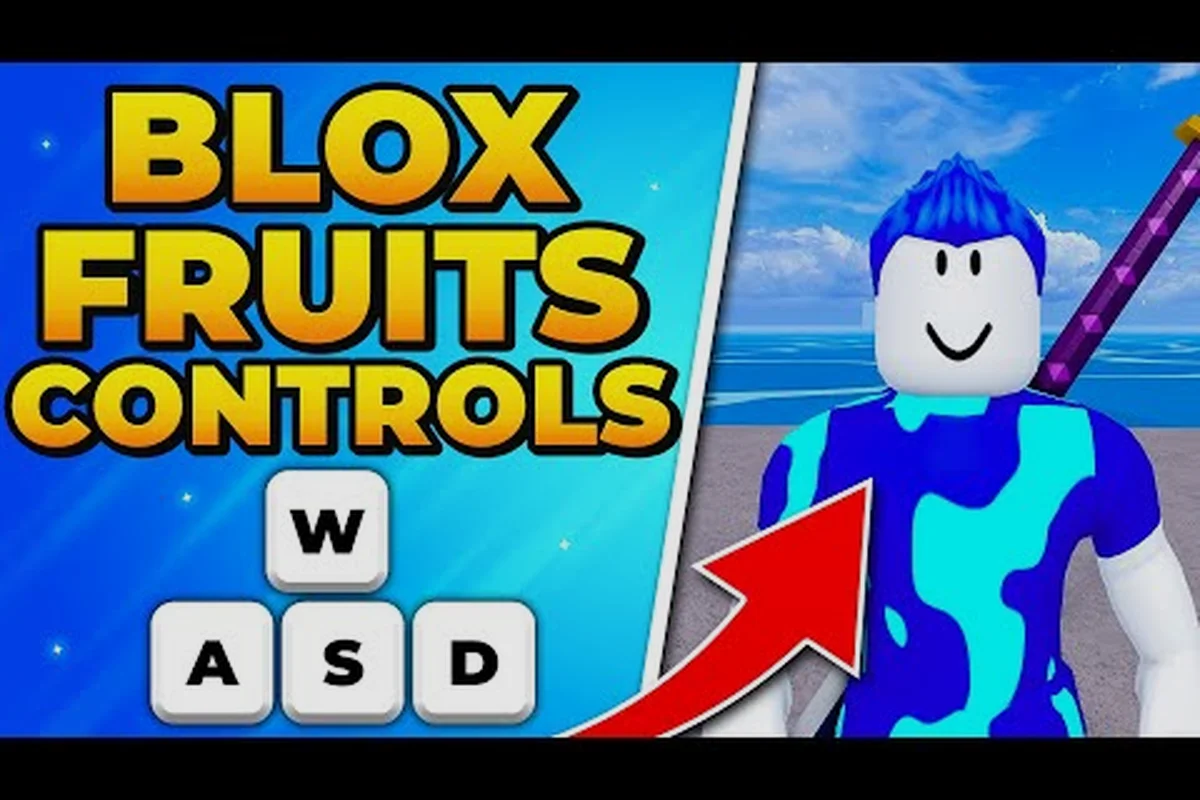
Blox Fruits controls decide how quickly you can react, reposition, and punish enemy attacks. Learning the keyboard, mobile, and gamepad layouts turns every movement and ability into a practical combat choice instead of a frantic button press.
Blox Fruits Controls and Essential Combat Inputs
Blox Fruits uses familiar action-game inputs, but their timing matters more than memorizing a list of keys. Movement, aiming, basic attacks, blocking, dodging, and skill activation each occupy a different role. A clean setup makes those roles clear, while understanding their limits helps you fight efficiently on any device.
The first priority is learning which input moves your character and which input aims the camera. Once those are separated, you can circle an enemy while keeping your character visible. Blocking and dodging should come next because they let you survive a mistake long enough to attack again.
| Control purpose | Common keyboard input | Mobile equivalent | Practical use |
|---|---|---|---|
| Move character | WASD | Left virtual stick | Reposition around enemies |
| Aim camera | Hold right mouse button | Drag on the right side | Track a moving target |
| Basic attack | Left mouse button | Tap attack button | Deal regular weapon damage |
| Block | Hold right mouse button | Hold block button | Reduce incoming damage |
| Dodge | Space bar | Dodge button | Avoid or escape an attack |
| Use skill | Z, X, C, or R | Skill button | Activate equipped abilities |
| Open menu | Escape | Menu button | Access inventory and settings |
These layouts may vary slightly by device and current client, so treat the table as a practical baseline rather than an immutable configuration. The PC controls demonstration on YouTube can help you compare the real interface with your own setup.
Moving and aiming without losing the fight
Keep movement and camera control on separate sides of the keyboard. WASD moves your character, while holding the right mouse button lets you aim. This separation is especially useful against bosses because their attacks can cover a large area and force you to turn quickly.
On mobile, the left stick handles movement while dragging the right side of the screen controls the camera. Avoid placing your character under the boss’s feet unless you know the next move. A small amount of space makes it easier to recognize attack animations, dodge at the correct moment, and keep your skill buttons accessible.
If you are still learning the interface, the beginner priorities guide provides a broader foundation for movement, quests, and early combat. Once the two systems feel separate, practice walking in a circle while keeping the camera locked on the same enemy.
Build muscle memory in short sessions
Use three short drills instead of one long aimless session. First, move between four distant markers while facing the same direction. Second, hold the camera toward an enemy while circling it with movement keys. Third, alternate a basic attack, block, dodge, and one skill without stopping your rotation. These drills establish movement priority, camera separation, and attack rhythm. The goal is not to react faster than the game allows; it is to remove avoidable friction, such as reaching for the wrong key after a skill animation begins.
Keyboard Blox Fruits Controls for Combat
Keyboard play offers precision because it separates movement, aiming, attacks, and skills. The most important distinction is that left mouse attacks while right mouse aims and blocks according to the selected action. Players often mix these up, which leads to missed attacks or accidental blocking.
Start with a simple key layout and avoid changing it while practicing. The standard arrangement places movement on the left, aiming on the right, and skills near the keyboard’s home row. If your character keeps turning unexpectedly, confirm that right-click aim is active only while you hold it.
| Keyboard action | Standard input | Timing goal | Common mistake |
|---|---|---|---|
| Move | WASD | Change direction before danger arrives | Holding a skill while walking backward |
| Aim camera | Hold right mouse | Keep the target centered | Releasing aim during a combo |
| Normal attack | Left mouse | Use after a successful dodge | Attacking into a blocked strike |
| Block | Hold right mouse in blocking stance | Meet the enemy’s attack briefly | Blocking continuously instead of briefly |
| Dodge | Space | Move away during the wind-up | Dodging after damage lands |
| Skill slot one | Z | Use for the primary opener | Activating it outside optimal range |
| Skill slot two | X | Use after repositioning | Holding skill keys unnecessarily |
| Skill slot three | C | Use for burst or crowd control | Spending the skill with no target nearby |
| Fourth skill | R | Use when unlocked and assigned | Assuming every account has it |
Keep attacks simple
A basic attack has predictable reach and does not depend on a cooldown. Use it while closing distance, after a dodge, or when an enemy is recovering from a heavy strike. Chaining attacks without moving can work in a duel, but it leaves little room to respond to an incoming boss pattern.
Treat basic-attack recovery as a timing checkpoint. After each swing, observe whether you can still dodge immediately. If not, shorten the combo until your defense recovers in time. This matters more than collecting many damage numbers because a successful dodge can preserve health while opening another attack window.
Understand blocking as a timed defense
Blocking is useful against projectiles and predictable attacks, but holding it permanently is usually inefficient. A better pattern is to block only the moment the enemy commits to a strike. That minimizes stamina or energy pressure and lets you attack immediately after the block ends.
If an enemy performs a multi-hit sequence, block the first valid hit and prepare to dodge the next. That distinction prevents a perfectly timed defense from turning into a long period of standing still. Before hunting bosses, review the recommended display and input settings to reduce visual distractions and keep on-screen information readable.
Mobile Blox Fruits Controls for Touch Players
Mobile controls work best when the game is comfortable to reach with both thumbs. The movement stick should sit comfortably under one thumb, while attack, block, dodge, and skill buttons remain within reach of the other. If you must reposition your hand to use a skill, you will lose time during a fast exchange.
The primary advantage of touch controls is direct access, but accidental inputs become more likely when buttons overlap or sit near the edge of the screen. Keep clear space around the action buttons and avoid placing chat, emote, or menu shortcuts where your attack thumb rests.
| Mobile action | Recommended input | Best practice | Adjustment to consider |
|---|---|---|---|
| Move | Left virtual stick | Use short movements near danger | Enlarge the stick if precision feels poor |
| Aim | Drag right side of screen | Drag slightly beyond the target | Increase camera sensitivity for fast turns |
| Attack | Main attack button | Tap after a dodge or reposition | Move the button closer to your thumb |
| Block | Hold block button | Hold only during the incoming hit | Place it near dodge if enemies pressure you |
| Dodge | Dodge button | Tap during the attack wind-up | Keep the same button location always |
| Skills | Skill controls | Use after confirming range and cooldown | Move unused buttons out of easy reach |
Customize buttons for your grip
There is no single perfect mobile arrangement. Players using one hand need controls that stay near the thumb arc, while players using two hands can spread movement and combat actions farther apart. Test a layout for several minutes before deciding that it does not work, because short tests do not reveal accidental touches during a boss’s multi-hit sequence.
Pay special attention to thumb travel distance. A skill button may be easy to tap while stationary but difficult to reach while moving. Moving a frequently used skill closer to the attack button often provides a larger practical improvement than changing sensitivity.
Use mobile controls for readable defense
The camera and movement can still separate cleanly on mobile: move with the left stick and aim by dragging on the right side of the display. When a boss charges, move your character into open space while keeping the camera centered on the target. This prevents the character from drifting toward the edge of the screen. The first-session checklist includes useful combat and progression priorities beyond the control layout. Once those basics are established, focus on recognizing enemy animations so your dodge button becomes a response rather than a random reaction.
Blox Fruits Haki, Races, and the Controls Needed for Them
Blox Fruits haki is a separate progression system that unlocks stronger combat abilities, while Blox Fruits races determine which race benefits your account receives. Neither system replaces weapon mastery, and neither changes the need to position your character and time attacks correctly.
According to the verified PC controls source, haki is purchased from trainers in the Second Sea, while races are rolled per account and can be rerolled using Fragments. These distinctions matter because players may expect a race or haki purchase to improve controls automatically, but the real benefit comes from the abilities and stat bonuses they unlock.
| Progression feature | How it is obtained | Combat connection | Control-related benefit |
|---|---|---|---|
| Weapon mastery | Use a weapon through its mastery levels | Improves normal attack progress | Encourages deliberate attack timing |
| Haki | Purchase from Second Sea trainers | Unlocks enhanced abilities | Adds skill inputs to combat planning |
| Race | Rolled for the account | Grants race-specific bonuses | Changes stat priorities, not button layout |
| Race reroll | Purchased with Fragments | Replaces a rolled race | Does not add a new movement command |
| Gamepass | Roblox purchase | May provide convenience features | Never replaces mastery or positioning |
Use Haki abilities in a clear sequence
Haki-related abilities can feel overwhelming when several skills are assigned at once. Start with one defensive or movement ability, one attack, and one longer cooldown. This creates a predictable three-slot rhythm and makes it easier to identify which skill caused a movement change or damage burst. The Haki and race progression guide explains where trainers appear and how the separate progression systems work. Use that information to plan which abilities fit your combat style before filling every available slot.
Treat races and gamepasses as support systems
Blox Fruits races influence character development, but they do not alter the basic Blox Fruits controls. A strong race should complement your weapon and play style instead of convincing you to ignore attack timing. Similarly, a Blox Fruits gamepass is a Roblox purchase that may provide convenience, but it cannot replace skill mastery or proper defense.
The question of whether Blox Fruits is it free has a simple answer: the core game can be played without buying a Blox Fruits gamepass. Players can spend Robux on optional purchases, yet progression and combat still require learning the normal systems. This distinction is useful for new players deciding whether to spend Robux before understanding the game.
Blox Fruits Skills, Cooldowns, and Defensive Timing
Skills are the clearest reason to master Blox Fruits controls. Every activated skill can occupy animation time, consume a cooldown, or move the character in a specific direction. Activating one only after confirming the enemy’s behavior produces cleaner results than pressing multiple buttons whenever a target enters the screen.
The safest skill sequence has three phases: create space, confirm the target, then commit. Movement creates space, the camera confirms the enemy’s position, and the skill executes only when range and timing are correct. This sequence remains effective on keyboard, mobile, and gamepad.
| Combat phase | Input goal | Why it matters | Result to watch for |
|---|---|---|---|
| Space creation | Move away or circle | Creates time to read the enemy | Opening appears |
| Target confirmation | Aim at the enemy | Prevents missed skill casts | Target stays centered |
| Commitment | Dodge, block, or use a skill | Acts during the correct window | Damage or defense succeeds |
| Recovery | Basic attack or reposition | Avoids standing still afterward | Follow-up is available |
| Reset | Repeat the sequence | Builds a repeatable rhythm | Less wasted resource use |
Decide when not to use a skill
There are moments when the best skill action is none. If the enemy is outside range, activating an attack can leave you exposed. If a powerful dodge is available, spending a damage skill first may waste the better defensive option. Read the encounter, then choose the input that answers the immediate threat.
Cooldowns make this decision more important. A skill used a second too early may be unavailable when the boss reaches a vulnerable phase. Preserve cooldowns for openings where they can produce meaningful value, especially during long boss attempts where small mistakes become expensive.
Combine controls into repeatable patterns
Begin with a two-action pattern: dodge, then basic attack. Add a skill only after that pattern feels stable. Follow it with a short block when the enemy retaliates, and return to spacing. This creates a repeatable combat loop instead of a random sequence of button presses.
A reliable loop might look like circle, confirm, dodge, attack, and reset. Different abilities can replace the attack or dodge, but the structure remains. Once the sequence becomes automatic, you can focus on enemy patterns and use advanced abilities without losing track of your character.
Practice Methods for Faster and Cleaner Combat
The fastest way to improve is deliberate practice with one variable at a time. First measure movement accuracy, then camera control, then attack timing. Changing everything at once makes it difficult to identify the reason for a miss or mistake.
Use safe enemies for the first drill. Practice circling without attacking, then add a single attack when the target reaches a consistent position. Afterward, add blocking and dodging. The goal is to preserve the same movement accuracy after adding defense, because many players improve attacks while accidentally becoming easier to hit.
| Practice stage | Duration | Focus | Success test |
|---|---|---|---|
| Movement and camera | 5 minutes | Keep a target centered while circling | Character remains predictable |
| Basic attack | 5 minutes | Attack after a consistent step | Fewer swings land on empty space |
| Block timing | 5 minutes | Block only committed attacks | Energy is preserved |
| Dodge timing | 5 minutes | Dodge during the wind-up | No damage taken in the drill |
| Skill sequence | 5 minutes | Use one skill after a confirmed opening | Skill is not wasted |
| Full encounter | 10 minutes | Combine all inputs | Clear recovery after every action |
Use short accuracy tests
A short test can reveal whether your controls are reliable. Place an enemy in a familiar area, attack ten times, and record how many clearly connect. Repeat with movement between attacks. If accuracy drops sharply, your character is drifting or the camera is being released too early, so fix that specific step before changing equipment.
The same method works on mobile. Reduce visual settings if needed, then practice the attack button rather than adding more skills. If you want to improve while progressing through lower-level areas, the AFK farming guide covers efficient training, but active control practice remains necessary for boss-ready timing.
Review one mistake after each attempt
Combat mistakes often repeat because the cause is not identified. After a failed attempt, determine whether the problem was positioning, camera direction, early blocking, late dodging, or a skill used without range. Choose one issue and correct it in the next attempt.
This review process turns controls into measurable skills. Instead of saying an attempt felt bad, you can identify a specific correction such as keeping more distance before dodging. That focused adjustment produces faster improvement than simply increasing difficulty or chasing new abilities.
Blox Fruits Controls Checklist for Every Fight
A complete control setup has four layers: movement, targeting, defense, and skill execution. Movement keeps you away from danger, targeting keeps the enemy visible, defense handles unavoidable damage, and skills capitalize on openings. Removing any layer can make a strong character feel inconsistent.
| Layer | Keyboard reference | Mobile reference | Final check |
|---|---|---|---|
| Movement | WASD | Left stick | You can retreat without facing backward |
| Targeting | Hold right mouse | Drag right side | You can keep the enemy visible |
| Damage | Left mouse | Attack button | You know when basic attacks connect |
| Defense | Right mouse block and Space dodge | Block and dodge buttons | You can defend without freezing |
| Abilities | Z, X, C, R | Skill buttons | You know each button and cooldown |
| Menu access | Escape | Menu button | Inventory changes remain reachable |
Before entering a boss fight
Enter the arena, confirm that the camera responds, and walk through the movement range without attacking. Make sure the dodge button is not obstructed on mobile and that the keyboard focus remains on the game window on PC. Then trigger each skill once so you know it has activated and is ready to use.
On mobile, check that your attack thumb does not cover the character during crowded encounters. On PC, avoid placing valuable weapons or important consumables on a key combination you might press during a panic dodge. Input isolation keeps accidental actions from turning a defensive movement into a wasted ability.
During and after combat
Use the same core order every time: create space, aim, defend, attack, and reset. When an enemy attacks, do not waste a skill before understanding the incoming move. When the enemy recovers, use a basic attack or a skill according to the cooldown and range.
After the fight, review whether your controls caused damage you avoided. If you stayed too close, change your spacing. If you missed abilities, adjust the camera. If you dodged but could not retaliate, practice the recovery after the dodge. Blox Fruits controls become dependable when each correction is tied to an observable action.
Frequently Asked Questions
What are the best Blox Fruits controls for beginners?
Beginners should learn movement, camera aiming, basic attacks, blocking, and dodging before filling every skill slot. On keyboard, keep WASD separate from right-click aiming, and use Space for evasion. On mobile, use the left stick for movement and keep attack, block, dodge, and one skill within comfortable thumb reach.
Does Blox Fruits have the same controls on mobile and PC?
No. Blox Fruits uses related actions on both platforms, but the physical inputs differ. PC typically assigns WASD to movement, mouse buttons to aiming and attacks, Space to dodging, and letter keys to skills. Mobile uses a virtual stick, screen dragging, and on-screen buttons that can be arranged for your grip.
Are Haki or race abilities worth unlocking for combat?
They can strengthen your build, but neither replaces good positioning or weapon mastery. Blox Fruits haki adds powerful abilities learned through Second Sea trainers, while Blox Fruits races provide account-specific stat benefits. Learn one ability at a time and practice its range and timing before assigning several powerful skills at once.
Is Blox Fruits free to play, and do players need a gamepass?
The core Blox Fruits experience can be played without purchasing a Blox Fruits gamepass, although optional Robux purchases exist. A gamepass may improve convenience or provide extra features, but it does not automatically grant mastery, better timing, or the ability to defeat bosses without practicing the combat system.
How can I improve Blox Fruits controls on mobile?
Practice with short, focused drills rather than changing every setting at once. Keep the attack button near your thumb, place the dodge button where it can be reached immediately, and use short camera drags. If accuracy drops during movement, reduce the difficulty of the enemy and correct your camera positioning first.